Workstations That Handle Demanding Applications
Desktop Computer Repair in La Grande for hardware failures, operating system crashes, and performance upgrades
Desktop computers suddenly refusing to power on, systems that boot to blank screens despite fans running, hard drives making clicking sounds before Windows fails to load, and computers restarting unexpectedly during demanding tasks all point to specific hardware component failures that prevent normal operation. What actually happens during desktop repair involves testing individual components in isolation—swapping suspected failed parts with known working hardware to determine whether your power supply delivers inconsistent voltage, your motherboard has failed capacitors preventing proper startup sequences, your RAM modules generate memory errors, or your storage drive has mechanically failed. Outstanding Computer Repair handles desktop computer repair in La Grande covering component-level troubleshooting, hardware replacement and upgrades, operating system repair, and custom maintenance for standard office systems, gaming computers, and high-performance workstations.
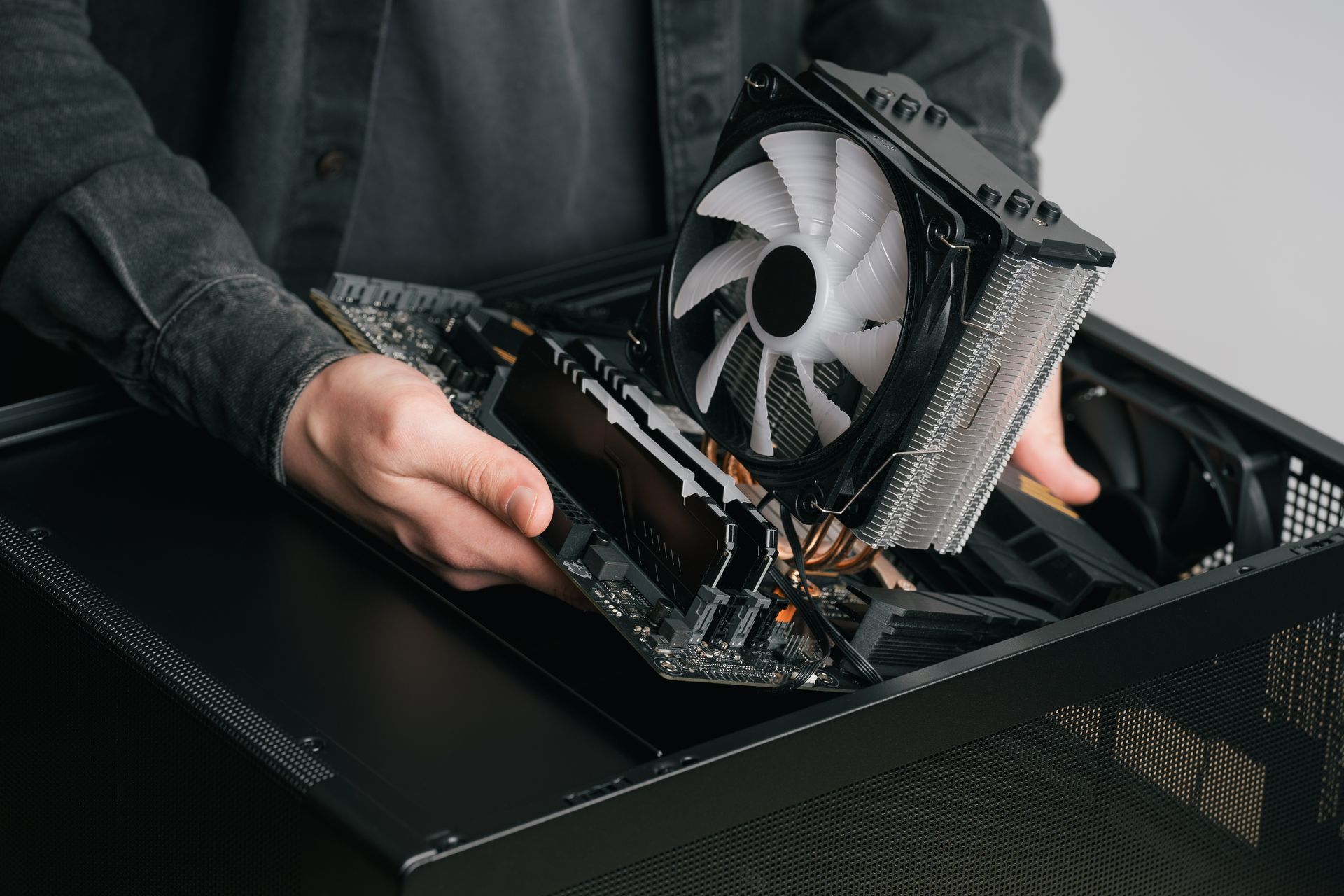
Desktop repair begins with systematic component testing using diagnostic tools that measure power supply voltage output across multiple rails, run memory stress tests to identify faulty RAM modules, and check storage drive SMART data reporting imminent failures. The modular nature of desktop computers allows individual component replacement without discarding entire systems—a failed graphics card can be replaced while retaining functional motherboards, processors, and storage drives, and inadequate RAM can be upgraded without replacing other working components.
Request a hardware evaluation to identify failed components and determine upgrade paths for aging desktop systems.
How Component-Level Desktop Repair Works
The diagnostic process isolates failures by testing components individually—removing all RAM modules and testing each stick separately identifies which module causes boot failures, disconnecting all storage drives and reconnecting them one at a time determines which drive prevents startup, and temporarily installing a different power supply reveals whether voltage inconsistencies cause random shutdowns. Operating system repairs address corrupted Windows installations that fail to boot properly, driver conflicts that cause blue screen crashes, and registry errors that prevent applications from launching correctly.
After repairs complete, your desktop powers on reliably without requiring multiple start attempts, boots to Windows without error messages or extended loading times, and runs demanding applications without unexpected crashes or performance throttling. Outstanding Computer Repair verifies that all installed RAM registers correctly in system information, storage drives respond at full rated speeds rather than operating in degraded fallback modes, and graphics cards maintain stable frame rates during extended use without thermal shutdowns.
Hardware upgrades transform aging systems into capable workstations by installing solid-state drives that reduce boot times from minutes to seconds, adding RAM that allows simultaneous operation of multiple professional applications, and upgrading graphics cards that enable smooth video editing or gaming at higher resolutions. Gaming and high-performance PC repairs address specialized cooling requirements, ensure adequate power supply capacity for upgraded components, and verify that all hardware communicates at maximum supported speeds rather than throttling due to compatibility limitations or incorrect BIOS settings.
What Desktop Owners Usually Ask
Property owners and business operators in La Grande often have questions about desktop repair costs, upgrade feasibility, and whether older systems justify continued investment.
What causes desktop computers to power on but display nothing on screen?
This symptom typically indicates failed RAM preventing successful POST completion, a disconnected or failed graphics card producing no video output, or a monitor connection issue where cables are loose or damaged—testing involves removing and reseating RAM modules, trying different video output ports, and connecting to a known working monitor to isolate whether the computer or display has failed.
How do you determine whether a failing hard drive can be repaired or requires replacement?
Hard drives with mechanical failures producing clicking sounds, extremely slow read speeds, or increasing numbers of bad sectors require immediate replacement since the physical platters or read heads are failing—these drives cannot be repaired and will experience total failure, losing all stored data without warning.
Can you upgrade RAM and storage on systems several years old?
Most desktops built within the past eight years accept RAM and storage upgrades using current technology standards—DDR4 RAM and SATA solid-state drives remain compatible with older motherboards, though systems using legacy DDR3 RAM or lacking UEFI BIOS support may have limited upgrade paths requiring careful compatibility verification before purchasing components.
Why do power supplies fail and what symptoms indicate replacement is needed?
Power supplies degrade as internal capacitors age and cooling fans accumulate dust, eventually producing inconsistent voltages that cause random shutdowns, boot failures, or component instability—systems requiring multiple power button presses to start, unexplained restarts during high processor load, or peripheral devices disconnecting randomly often have failing power supplies rather than motherboard or component problems.
What makes gaming PC repairs different from standard desktop service?
Gaming systems operate components at higher sustained loads generating more heat, use graphics cards requiring dedicated power connections and adequate cooling, and often involve custom configurations where component compatibility and proper driver installation directly impact performance—repairs must verify that cooling systems handle maximum thermal output and power supplies provide sufficient capacity for all installed hardware under full load conditions.
Outstanding Computer Repair provides detailed repair estimates explaining which components failed, why replacement is necessary, and what upgrade options exist for improving performance while repairing your desktop. Contact the team to schedule diagnostic testing and receive specific recommendations based on your system's current condition and intended use requirements.