
Laptops Rebuilt for Daily Portable Use
Laptop Repair Services in La Grande for broken screens, keyboard failures, overheating issues, and charging problems
Laptop screens developing dead pixel clusters or spiderweb cracks from impact, keyboards with keys that stick or fail to register inputs, batteries that drain within thirty minutes despite showing full charge, and cooling fans that run constantly while the bottom case becomes too hot to touch all indicate component failures that portable computers experience from repeated transport and daily handling. The repair approach differs significantly from desktop service—laptop components are compact, brand-specific, and often require complete disassembly to access internal parts, with screens connecting through delicate ribbon cables and keyboards secured beneath multiple layers of casing. Outstanding Computer Repair provides laptop repair services in La Grande covering hardware replacement, physical damage correction, and performance troubleshooting for all major laptop brands regardless of age or model.
Laptop repairs involve sourcing manufacturer-compatible replacement parts since components vary dramatically between models—a screen replacement requires matching exact panel specifications for resolution and connector type, keyboard repairs need layouts specific to your model and language configuration, and battery replacements must match voltage and physical dimensions to fit properly within your laptop's battery compartment. Overheating problems often stem from dust accumulation blocking air vents or thermal paste degradation between processors and heat sinks, both requiring internal cleaning and component reapplication to restore proper cooling.
Schedule a laptop inspection to assess physical damage and component failures affecting portable functionality.
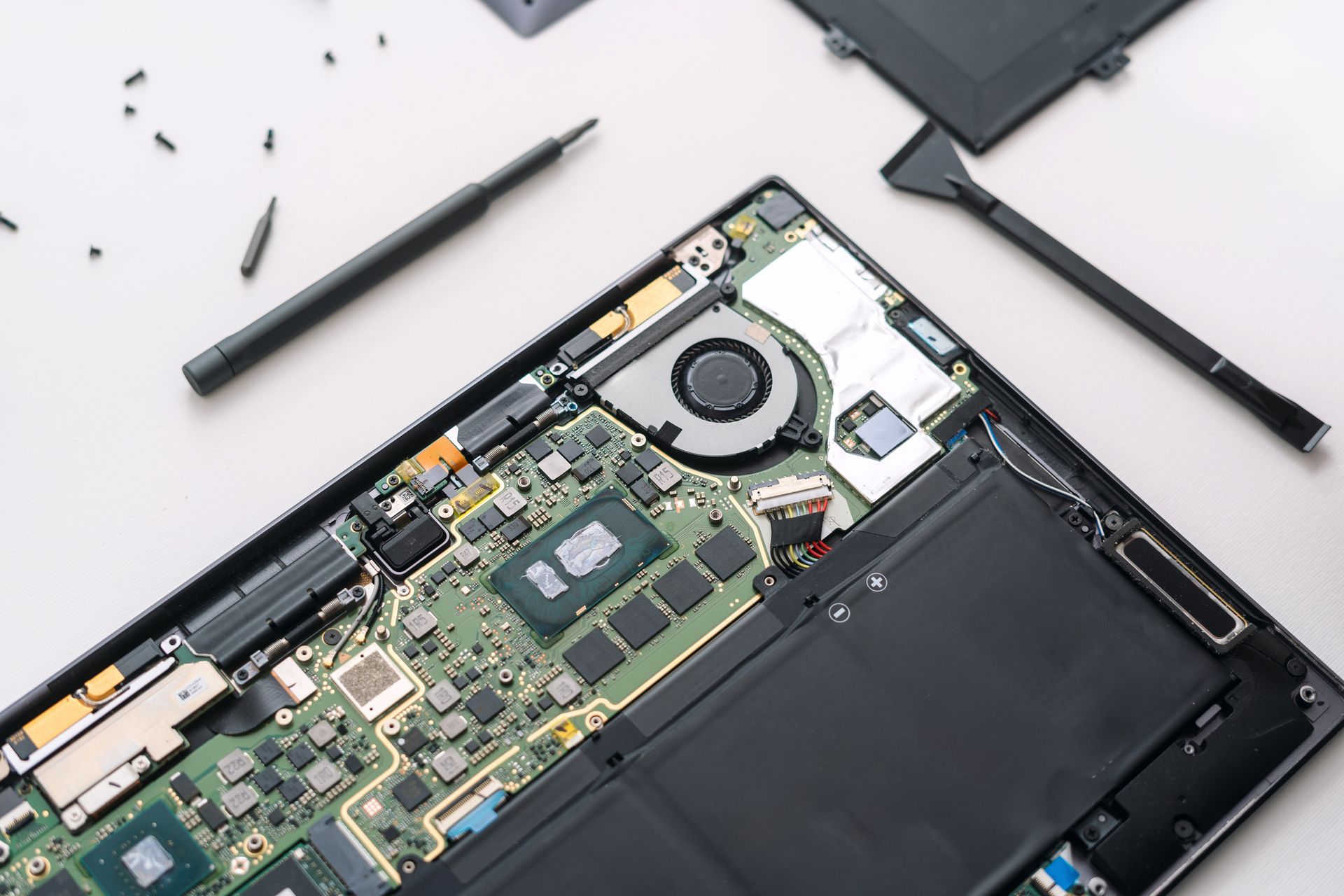
What Proper Laptop Repairs Require
Screen replacements involve carefully separating the display bezel without cracking plastic clips, disconnecting video cables from the motherboard, and installing new LCD panels while avoiding pressure points that create permanent bright spots or dead zones. Keyboard repairs require removing dozens of small screws in specific sequences to access keyboard mounting brackets, then reconnecting the ribbon cable with proper alignment to ensure all keys register inputs correctly after reassembly.
After repairs complete, your laptop screen displays clear images without flickering lines or dark patches, keyboard keys respond with normal tactile feedback and accurate character input, the system runs for hours on battery power matching original specifications, and the bottom case remains cool during normal use without fan noise reaching distracting levels. Outstanding Computer Repair tests charging circuits to confirm batteries accept full charges and power adapters provide consistent voltage without intermittent connection failures that prevent reliable charging.
Physical repairs also address hinge failures where screen lids become loose or crack mounting points, touchpad malfunctions where cursor movement becomes erratic or click functions fail to register, and casing damage where broken plastic clips prevent proper panel alignment. Some repairs involve only component replacement, while others require addressing underlying causes—overheating that damages internal components stems from blocked vents or failing cooling fans, not just high ambient temperatures.
Answers to Frequent Laptop Repair Questions
Laptop owners in Baker City typically ask about repair feasibility, component availability, and whether aging systems justify repair investment.
What determines whether cracked laptop screens can be replaced?
Screen replacement depends on panel availability for your specific model and whether the damage is limited to the LCD panel itself or includes broken video cables and mounting brackets—most screens are replaceable if the underlying frame and cable connections remain intact, but models older than seven years may have discontinued panels requiring alternative sourcing.
Why do laptop keyboards fail more frequently than desktop keyboards?
Laptop keyboards use thin membrane switches and short-travel key mechanisms that accumulate dust and liquid residue beneath keys, causing stuck keys or input failures, while the compact spacing provides less tolerance for debris compared to full-size desktop keyboards with isolated key switches and greater internal clearance.
How do you address overheating in Baker City's dry climate?
The region's dust conditions accelerate vent blockage and internal accumulation on cooling fins, requiring compressed air cleaning to remove packed debris from heat sink channels and fan blades, combined with thermal paste reapplication where dried compound no longer transfers heat efficiently from processors to cooling assemblies.
Can charging problems be fixed without replacing the entire motherboard?
Many charging failures stem from damaged power jack sockets where repeated cable insertion loosens solder connections or breaks mounting pins—these jacks can often be replaced individually by desoldering the failed component and installing a new socket, avoiding the expense of complete motherboard replacement.
What factors determine whether older laptops are worth repairing?
Repair value depends on replacement cost relative to the laptop's remaining useful capacity—a four-year-old business laptop with adequate processor speed and memory justifies screen or keyboard replacement costing $150 when equivalent new systems cost $600, while a nine-year-old budget laptop with marginal performance may not justify $200 in repairs when similar used systems sell for $150.
Outstanding Computer Repair provides cost assessments before beginning repairs, explaining which components need replacement and whether your laptop's age and specifications make repair economically sensible. Bring your laptop in for evaluation to receive specific repair recommendations and accurate cost estimates based on required parts and labor.